 YTDownytdown.online
English
Download
YouTube Videos
Online
Save YouTube videos and Shorts as MP4 with sound, up to 4K when available. Choose MP3 or M4A for audio. Free to use, with no sign-up or installation.
Estimated file size—
- Free online
- No sign-up
- No installation
THREE STEPS
How to Download YouTube Videos
Copy a video link, choose your format and save the finished file.
-
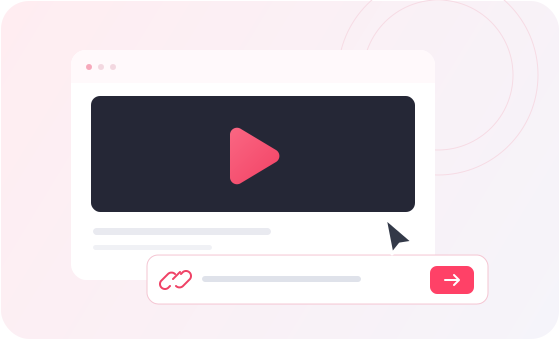
Paste the video link
Copy the URL of a YouTube video or Short, then paste it into the downloader above.
-
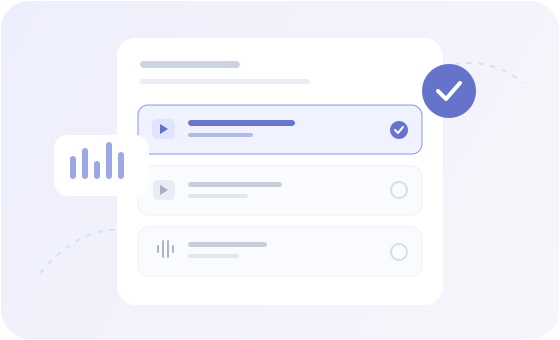
Choose a format
Select an available MP4 quality or an MP3 or M4A audio option. Click Start to prepare the file.
-
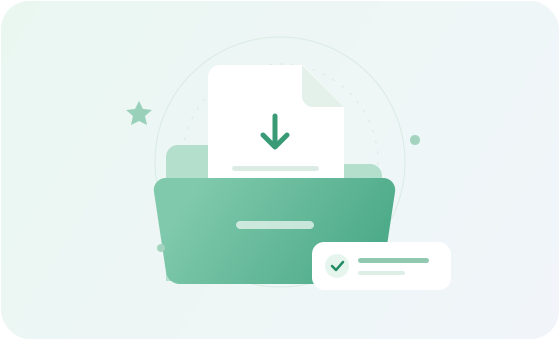
Save the finished file
Watch the preparation status. When the file is ready, click Download File to save it to your device.
GET YOUR VIDEO URL
How to Copy a YouTube Video Link
YTDown needs a link to one video or Short, not a channel, playlist or search page. Here is how to find it.
On a computer
- Open the YouTube video you want to save.
- Copy its URL from the browser address bar or use Share > Copy.
- Paste the link into YTDown to view the available formats.
In the YouTube app
- Open the individual video in the YouTube app.
- Tap Share, then Copy link.
- Open YTDown in your browser and paste the copied URL.
For a YouTube Short
- Open the Short you want to save.
- Tap Share, then Copy link.
- Paste the Shorts URL into the same YTDown input.
YTDown accepts links to individual videos and Shorts. For a playlist, open the specific video first and copy its URL.
WHAT YTDOWN CAN DO
Video, audio and Shorts.
One browser-based tool.
Check the formats offered for a YouTube link, choose the quality you need and follow the preparation progress before saving your file.
VIDEO QUALITY
Download MP4 videos up to 4K
Choose from the resolutions returned for your video, including HD, 1080p and up to 4K where supported. YTDown does not upscale the original video.
MP4 video with sound
High-resolution YouTube video and audio may arrive as separate streams. YTDown merges them into one MP4 file when needed, so you download video with sound.
MP3 and M4A audio
Save audio without the picture. Choose MP3 at an offered bitrate or select M4A when available. MP3 conversion may need extra preparation time.
YouTube Shorts downloads
Paste a Shorts link into the same box used for regular videos. Pick from the formats offered for that Short.
Progress you can follow
See whether YTDown is analyzing, downloading, merging or converting your file. It runs in your browser without an account, app or extension.
SAVING A LOCAL COPY
When a Downloaded Video Comes in Handy
For videos you own or are allowed to save, a local MP4 or audio file can be useful in several everyday situations.
LEARNING
Review a tutorial offline
Keep a permitted how-to video on your device so you can follow the steps without reopening its YouTube page.
REFERENCE
Keep a reference file
Save an approved presentation or demonstration alongside your project notes for quick access.
BACKUP
Back up your own videos
Download an individual video you uploaded and keep a local copy with your other project files.
AUDIO
Listen without the picture
For audio you have permission to save, choose MP3 or M4A instead of downloading a full video file.
VIDEO AND AUDIO FORMATS
MP4 for video.
MP3 or M4A for audio.
Keep video and sound together in MP4, or save only the audio as MP3 or M4A. The options shown depend on the YouTube link you submit.
Check available formatsVIDEO
MP4
Video with sound
Available resolutions up to 4KAUDIO
MP3 / M4A
Audio without video
Choose an available audio formatThe original video, its available streams and service support determine which formats and qualities appear.
PICK THE FORMAT YOU NEED
MP4, MP3, M4A: Which Download Option Should You Choose?
Choose based on whether you need video, audio or a smaller file. YTDown shows only the options available for your link.
| What you need | Choose | Things to know |
|---|---|---|
| A smaller video file | A lower-resolution MP4 | A lower resolution can reduce file size, but length, frame rate and compression matter too. |
| Sharper video for a large screen | 1080p or 4K MP4, if offered | Higher resolutions usually mean larger files. Some need separate video and audio streams to be merged. |
| Audio only | An available MP3 or M4A option | MP3 conversion can take extra time. Audio bitrates and formats depend on the video and service. |
| A finished file ready to save | Download File after preparation | Choose a format, click Start, then use Download File when the task is complete. |
Selecting 4K does not improve a lower-resolution original. Files cannot be prepared in formats that are missing from the available options, and estimated sizes may change.
SAVE IN YOUR BROWSER
How to Save YouTube Downloads on Any Device
YTDown prepares the chosen file first. When Download File appears, your browser takes over the final save step.
| Device | How to save | Where to find the file |
|---|---|---|
| iPhone / iPad | Tap Download File. If a media preview opens, use the available download control or Share > Save to Files. | Check the Files app and your browser’s download location. |
| Android | Tap Download File and confirm the download in your browser if prompted. | Open your browser’s download list or the Downloads folder in a file manager. |
| Windows | Click Download File. If the browser opens the video instead, use its download option or Save video as when available. | Check your browser’s downloads list or the folder selected in its settings. |
| Mac | Click Download File. If a preview opens, use the browser’s save or download control. | Check the browser download list or your selected Downloads folder. |
Buttons and save locations vary by browser and device. “File ready” means YTDown has finished preparing the file; your browser must still download it.
SUPPORTED URL TYPES
YouTube Links You Can Paste into YTDown
Use a direct link to one YouTube video or Short. These are the supported URL patterns.
| Link type | Example | Description |
|---|---|---|
| YouTube video | https://www.youtube.com/watch?v=VIDEO_ID | The standard YouTube video watch link. |
| Short video link | https://youtu.be/VIDEO_ID | A shortened link copied from the Share menu. |
| YouTube Shorts | https://www.youtube.com/shorts/VIDEO_ID | A link to an individual YouTube Short. |
Replace VIDEO_ID with an actual 11-character YouTube video ID. Keywords, channel pages, @handles, hashtags and playlist-only URLs cannot be analyzed as individual downloads.
SUPPORTED VIDEOS AND LIMITS
What YTDown Can and Cannot Download
YTDown works with individual YouTube video and Shorts links. Format choices depend on the original video and what the service can prepare.
Supported
- Individual YouTube videos and Shorts that you own or have permission to save.
- MP4, MP3 and M4A options listed in the results for that video.
- Offered video resolutions, including up to 4K when available.
- One video link and one selected download format per task.
Not supported
- Bulk downloads, playlist-wide downloads, channel-wide downloads and keyword searches.
- Formats marked App only or formats and resolutions missing from the results.
- Private, members-only, paid or otherwise access-restricted videos.
- Bypassing content protections or creating resolutions absent from the source.
A publicly viewable video is not necessarily available for authorized downloading or reuse. Make sure you have permission and follow applicable terms.
TROUBLESHOOTING
YouTube Download Not Working? Try These Fixes
Use the message shown by YTDown to identify the problem and choose the next step.
- Invalid YouTube link
- Open the individual video or Short on YouTube and copy the direct URL again. YTDown does not accept search text, channel links or playlist-only links.
- Download request expired
- Paste and analyze the original link again, then select a format and start a new task. An expired request cannot be restarted from its old file link.
- Server is busy
- Try again after a short interval. Submitting the same video repeatedly will not make the current request finish sooner.
- No HD, 4K or audio option
- YTDown lists only formats available for the video. Choose another offered format; missing qualities cannot be added from the downloader.
- File plays instead of downloading
- The browser may open MP4 or audio as a preview. Use its download or save option, then check the Downloads folder.
- Connection interrupted
- Keep the page open while YTDown retries the status check. If the task fails or expires, check your connection and analyze the video link again.
COMMON QUESTIONS
YouTube downloader
FAQ
Answers about MP4 and MP3 formats, download progress, supported links and common problems.
Frequently asked questionsWhat is YTDown?
YTDown is an online YouTube video downloader. Paste a video or Shorts link, choose an available MP4, MP3 or M4A option, and save the prepared file in your browser. No account or software installation is required.
How do I download a YouTube video?
Paste a YouTube video link into the downloader. Choose one of the available formats and click Start. When preparation finishes, click Download File to save it. High-resolution videos can take longer because audio and video may need to be merged.
Can I download YouTube audio as MP3 or M4A?
Yes. Choose MP3 or M4A from the audio options returned for the video. MP3 may require conversion, while the time needed for either format depends on the source file and server workload.
Does YTDown support 1080p and 4K MP4 downloads?
YTDown offers the MP4 resolutions available for the video, including 1080p and up to 4K when supported. The selected resolution cannot exceed the quality provided by the original source.
Can I download YouTube Shorts?
Yes. Copy the link to an individual YouTube Short, paste it into the same input and choose a format. Channel, feed and playlist-only links are not supported.
Why does my download need preparation time?
YouTube often provides high-resolution video and audio separately. YTDown may need to download and merge both streams into one MP4 file. MP3 audio can also require conversion. You can follow each stage through the on-screen progress updates.
What if my download fails or expires?
If a request expires, analyze the original video link again and start a new task. If a format is unavailable, choose another listed option. An App only label means that option cannot be downloaded through this website.
Is YTDown free? Do I need to install anything?
YTDown is free to use in your browser. No account, app or browser extension is needed for the formats offered on the website.
Which YouTube videos can I save?
Only download videos you own or have permission to save. Respect the copyright holder, creator rights and applicable YouTube terms. YTDown does not give you permission to use someone else’s content.
Can I download entire playlists or multiple videos?
No. YTDown handles one individual video or Short and one selected format per request. Open each video separately and copy its direct link.
Where can I find my downloaded video or audio file?
Your browser controls where the final file is saved. Check the browser’s downloads list or the Downloads folder on your device. If the file opens in a preview, use the browser’s download or save option.
Why is the final file size different from the estimate?
The displayed file size is an estimate. Downloading, merging audio and video, or converting MP3 audio can change the final size. Video length, bitrate and compression also affect file size.
READY TO DOWNLOAD?
Have a YouTube link?
Paste it above to check the available video and audio download options.