 YTDownytdown.online
English
YouTube
to MP4 Converter
– Free Online
Download YouTube videos and Shorts as MP4 files with video and sound together. Choose from available resolutions up to 4K, then save the finished file to your device. No sign-up or software required.

Estimated file size—
- Free to use
- No sign-up
- No installation
PASTE. CHOOSE. DOWNLOAD.
How to Convert YouTube to MP4
Paste one YouTube link, select an MP4 quality and download the completed file.
-
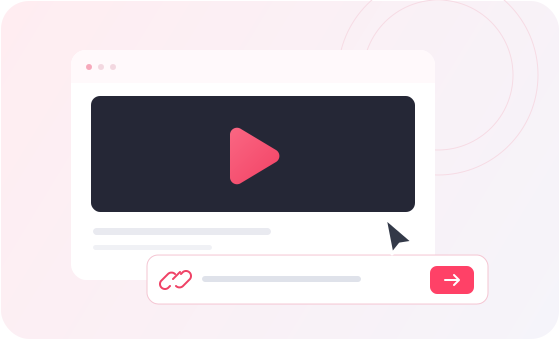
Paste the YouTube link
Open the YouTube video or Short you want to save, copy its link and paste it into the box above. YTDown checks which download formats are available.
-
Select MP4 quality
An available MP4 is selected by default. Review the resolutions and estimated file sizes, choose the quality you want and click Start.
-
Download the MP4 file
Follow the preparation progress. When Download File appears, click it to save the finished MP4 through your browser.

MP4 DOWNLOADS WITHOUT EXTRA STEPS
Video and sound,
together in one MP4.
YTDown prepares MP4 videos for offline viewing. Select the available resolution you want, follow file preparation and download a single file with picture and sound.
HD, FULL HD AND 4K
Choose Your MP4 Resolution
Choose from the MP4 resolutions offered for each video, including 720p, 1080p and up to 4K when available. Higher resolutions depend on the original upload and the formats the service can prepare.
MP4 with video and sound
Your completed MP4 contains picture and audio in one file. When YouTube provides them as separate streams, YTDown combines them before the file is ready.
Choose the quality you want
Review the available MP4 resolutions and estimated file sizes before starting. YTDown selects the highest available MP4 resolution by default, with frame rate used to break ties.
Download in your browser
Use YTDown on a computer, phone or tablet. There is no account to create and no app or browser extension to install.
See each preparation stage
Some MP4 files need to be downloaded and merged on the server. YTDown shows preparation stages so you know when the finished file is ready to save.
COMPARE MP4 RESOLUTIONS
Which YouTube MP4 Quality Should You Choose?
The best MP4 resolution depends on your screen, available storage and the choices returned for the video.
| Your goal | Suggested option | What to expect |
|---|---|---|
| Use less storage | An available 360p or 480p MP4 | Lower resolutions usually need less storage and work well for quick reference. Actual file size also depends on video length and encoding. |
| Watch in HD | An available 720p or 1080p MP4 | A practical choice for many phones, laptops and monitors. Compare the listed file sizes before you start. |
| Keep the most detail | An available 1440p or 4K MP4 | Choose a higher resolution for a larger display when the source supports it. Larger files can take longer to download and merge. |
YTDown does not upscale a video. Only the resolutions returned for that link can be selected. File sizes shown before preparation may be estimates. The completed MP4 includes video and sound.
DOWNLOAD TO YOUR DEVICE
How to Save an MP4 on Phone or Computer
After YTDown prepares your MP4, click Download File. Your browser handles the final download and save location.
| Device | How to download | Where to find the MP4 |
|---|---|---|
| iPhone / iPad | Tap Download File. If the video opens in a preview, use the browser’s download control or Share > Save to Files when available. | Look in the Files app or your browser’s configured download folder. |
| Android | Tap Download File and confirm any browser download prompt. If a preview opens, use its download option. | Check your browser’s downloads or the Downloads folder in your file manager. |
| Windows | Click Download File. If the MP4 plays in the browser, use the download control or Save video as when available. | Open your browser’s downloads list or the save folder set in its settings. |
| Mac | Click Download File. If a video preview opens, use the browser’s save or download control. | Check the browser’s downloads list or your selected download folder. |
Browser options vary by device and version. File ready means processing is complete on YTDown; it does not mean the MP4 has already been saved to your device.
MP4 DOWNLOAD HELP
Fix Common YouTube to MP4 Problems
Check the message shown by YTDown, then follow the matching steps below.
- YouTube link is invalid
- Copy the direct URL of one YouTube video or Short. Search terms, channel pages and playlist-only URLs cannot be analyzed as individual videos.
- The download request expired
- Paste the original YouTube link again and analyze it to get fresh format options. Select a quality and start a new request.
- The server is busy
- Try again after a short wait. Higher-resolution MP4 files may also take longer to prepare because video and audio must be downloaded and merged.
- The MP4 opens instead of downloading
- Your browser may play the MP4 directly. Use its download or save option, then check the downloads list or Downloads folder.
YOUTUBE TO MP4 FAQ
Questions about
YouTube MP4 downloads
Answers about quality, sound, conversion time and saving your file.
YouTube to MP4 frequently asked questionsHow do I convert YouTube to MP4 for free?
Paste an individual YouTube video or Shorts link into YTDown, select an available MP4 quality and click Start. Once preparation finishes, click Download File to save the MP4. No account or installation is required.
Can I download YouTube videos as MP4 in 1080p or 4K?
Yes, when those resolutions are available for the video and supported by YTDown. The format list shows the MP4 qualities you can select. YTDown does not upscale lower-resolution videos to 4K.
Does the downloaded MP4 include audio?
Yes. YTDown prepares a complete MP4 with video and sound. For some high-resolution downloads, YouTube supplies video and audio separately, so YTDown merges them into one MP4 before offering the file.
Why does converting YouTube to MP4 take time?
Some resolutions require YTDown to download separate video and audio streams and merge them into a single file. Longer videos, higher resolutions and server workload affect preparation time. You can follow the stages shown on the page.
Can I convert YouTube Shorts to MP4?
Yes. Copy the link to an individual YouTube Short, paste it into the same field and choose an available MP4 option. Shorts use the same preparation and download steps as regular videos.
What if no MP4 format is available?
YTDown lists the formats available for the link. This page prefers MP4, but if none is offered, another downloadable format may be selected. Check the format label before you click Start.
Why is the final MP4 size different from the estimate?
The displayed size can be an estimate. Downloading, merging and final encoding may change the finished file size. Check that your device has enough storage before downloading a large video.
Which YouTube videos can I save as MP4?
Use videos you own or have permission to download. YTDown handles individual video and Shorts links, not playlist or bulk downloads. Private, members-only and other restricted videos are not supported by this public-link workflow.
READY TO DOWNLOAD AN MP4?
Convert a YouTube Link to MP4
Paste your link, choose an available quality and save a video file with sound.